Apps
InventoryBook
A barcode inventory for everything you own. Stick a barcode on anything, scan it, and fill in what it is — then put things in boxes, put boxes in other boxes, and scan any box to see everything inside. Works hand in hand with RadioBook.
New app · InventoryBook v1.0
InventoryBook launches Tuesday at noon.
Barcode everything, find anything — items with photos, quantities and categories, boxes inside boxes, and scan-to-pack. The download appears right here when the countdown hits zero.
--Days
--Hours
--Minutes
--Seconds
Tue, Oct 20 · 12:00 PM Eastern · free for Android
Screenshots
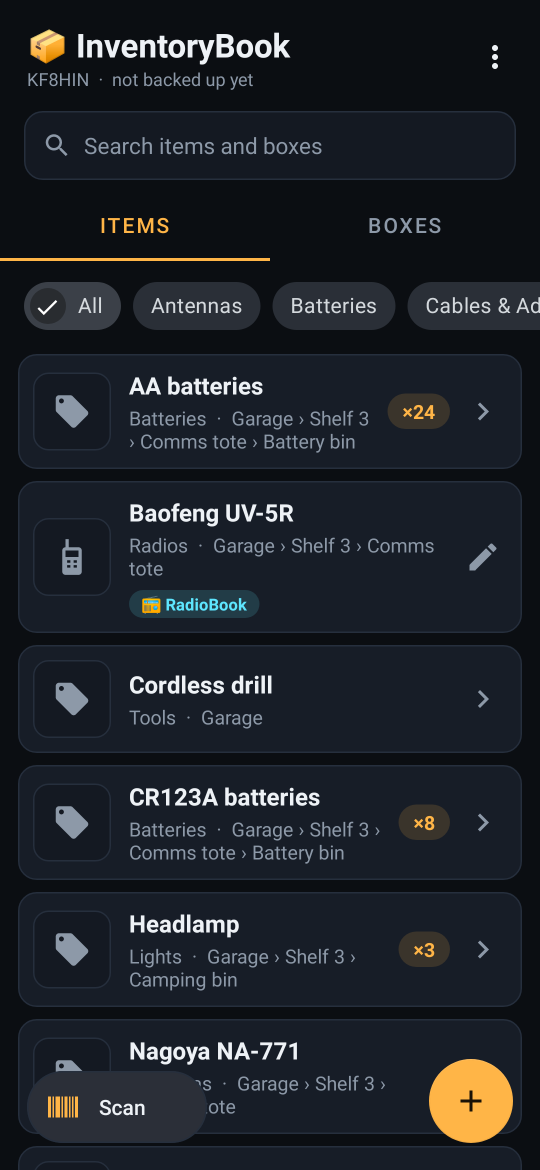
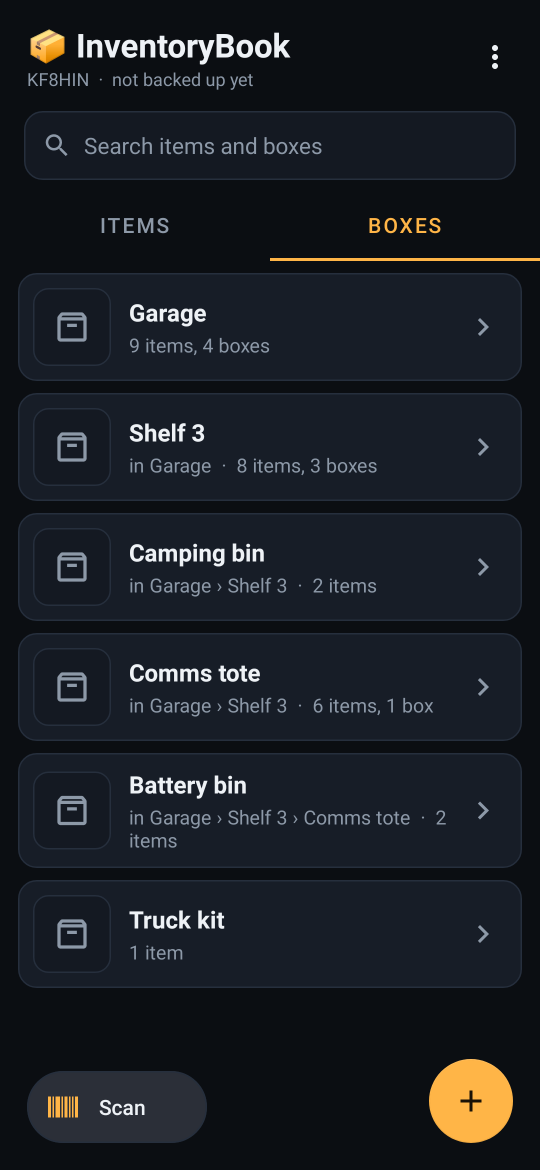
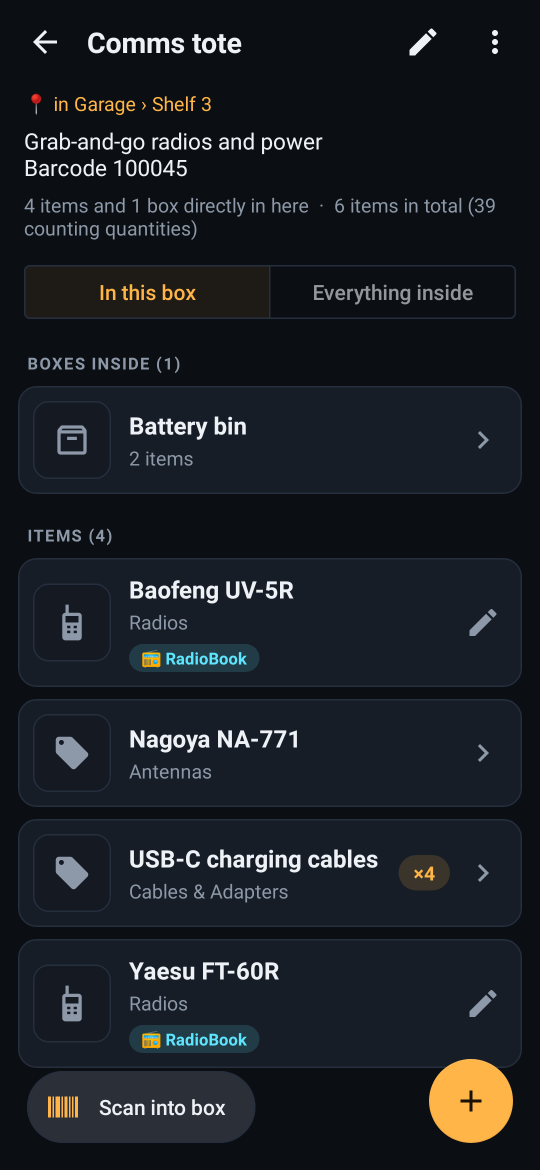
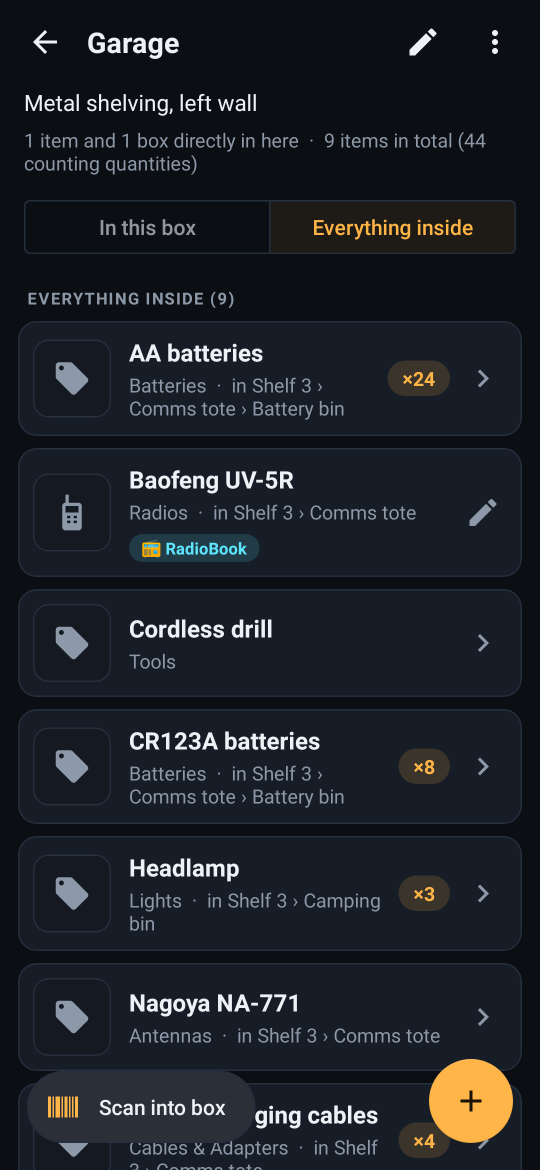
Scan anything
- Print your own barcode labels (any barcode or QR printer works) or use codes that are already on things
- One tap on Scan: if the code is already on something, it opens that item or box; if it’s new, you choose whether it’s an item or a box and fill it in
- One barcode belongs to one thing — reusing a code asks before moving it
- The scanner is built into the app and runs entirely on the phone
Items
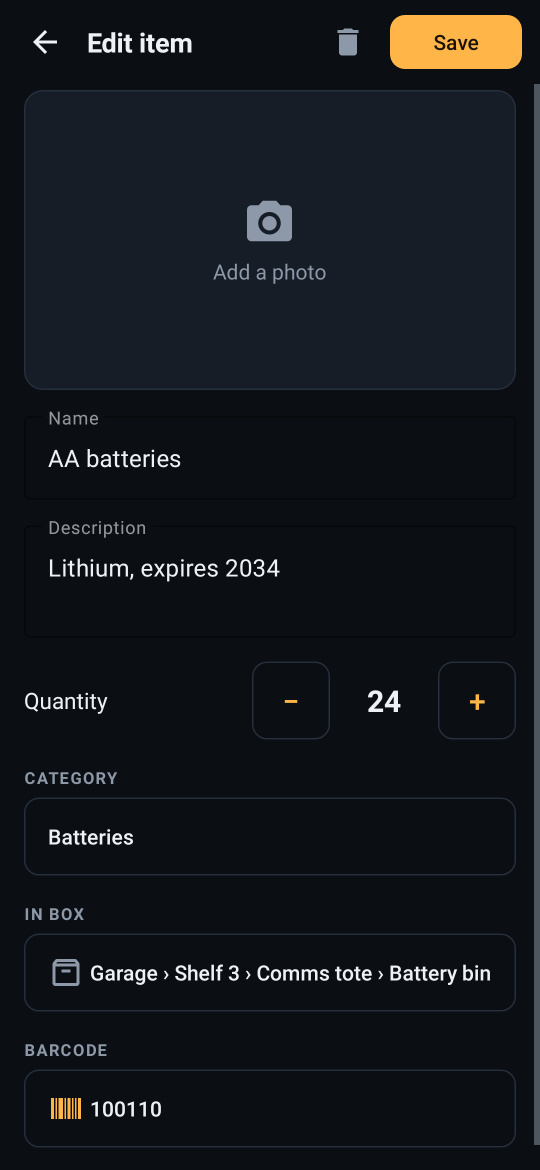
- Name, description, photo (camera or gallery), quantity with big − / + buttons, and a category
- Categories are yours: it starts with Batteries, Radios, Antennas, Cables & Adapters, Chargers & Power, Tools, Electronics, Lights, First Aid, Camping, Food & Water and Other — add, rename or delete any of them
- Filter the list by category, or search by name, description, category or barcode
Boxes inside boxes
- 📦 Boxes can hold items and other boxes — a bin in a tote on a shelf in the garage — and every item shows its full location
- Scan a box to see what’s directly in it, or flip to Everything inside to see every item at every level
- Scan into box keeps the scanner open so you can pack a box by scanning things one after another; each item moves in from wherever it was
- Deleting a box never deletes what was in it — the contents move up to wherever the box was
Works with RadioBook
- 📻 Bring your RadioBook Go Boxes over as boxes and your radios as items in one step — running it again never makes duplicates
- Tap a radio in InventoryBook and RadioBook opens straight to its channels
- Scan a radio’s RadioBook barcode and InventoryBook offers to add it
- Same account for both apps — log in with your RadioBook username and password (needs RadioBook 1.3 or newer for the link)
Accounts and backup
- Each account has its own separate inventory — even two people on the same phone never see each other’s
- Your inventory lives on your phone and backs up to your account a few seconds after each change, photos included
- Log in on a new phone and your inventory comes back down; a phone that already has data is never overwritten
Privacy and permissions
- Internet — only to log in and back up your own inventory to your account
- Camera — only for scanning barcodes and taking item photos
- No ads, no analytics
Specifications
Platform
Android 8.0+
Download
~15 MB
Account
RadioBook login
Price
Free
Bug report or feature idea? Get in touch.